You can add any AI chatbot as an AI moderator to your eWebinar chat by connecting your own chatbot API (custom or third-party), and then enable it under Preferences on the Chat tab when creating/editing your webinars.
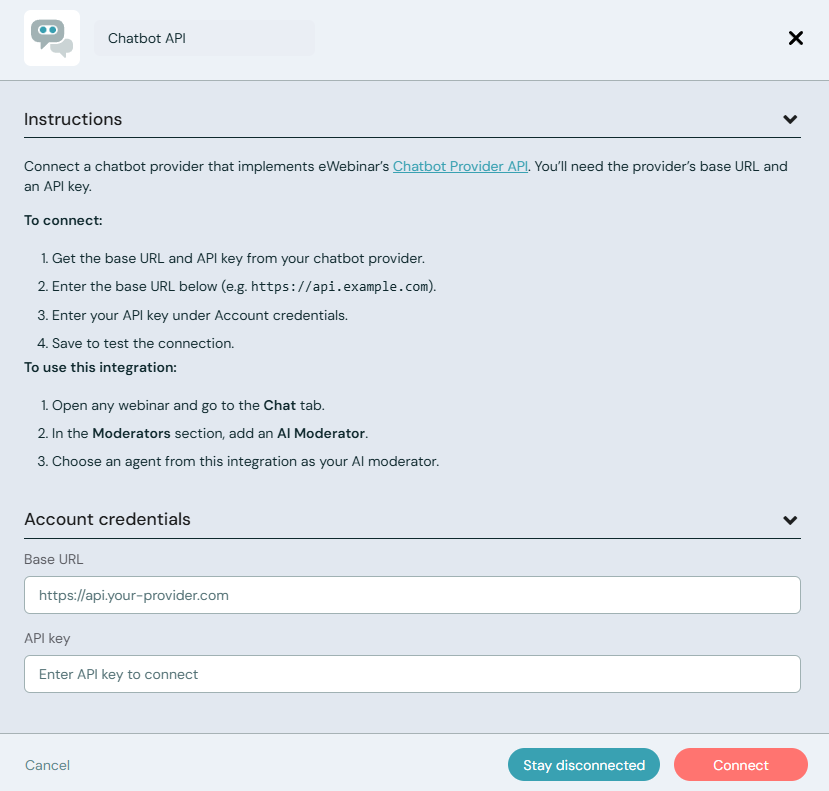
To add your preferred chatbot as an AI moderator, log in to your eWebinar account (or sign up for a free trial) then click Integrations in the profile menu and choose the Chatbot API icon.
You can then input your chatbot's account credentials and click Connect to finalize the integration.
Learn more about the setup process by reading our help center article.